 Sheaf
One requirement,
many repositories,
one diff.
一个需求,
多个仓库,
一份改动。
A requirement like PAY-142 often touches six repositories at once. Type the number, and every repository's changes appear in one place, with how far each has merged.
一个需求(比如 PAY-142)常常同时改了六个仓库。输入需求号,所有仓库的改动集中到一处,各自合到哪一步也一目了然。
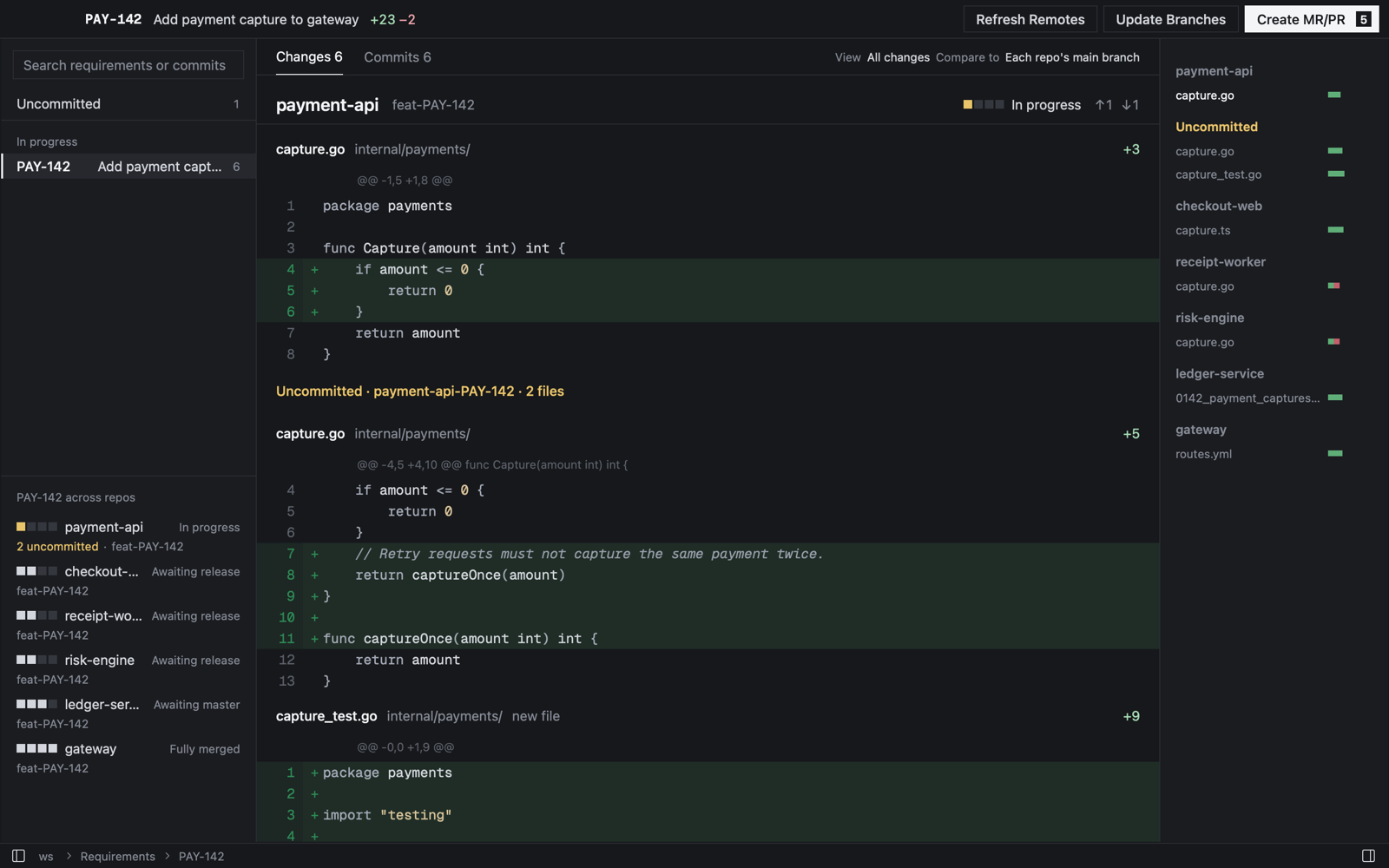
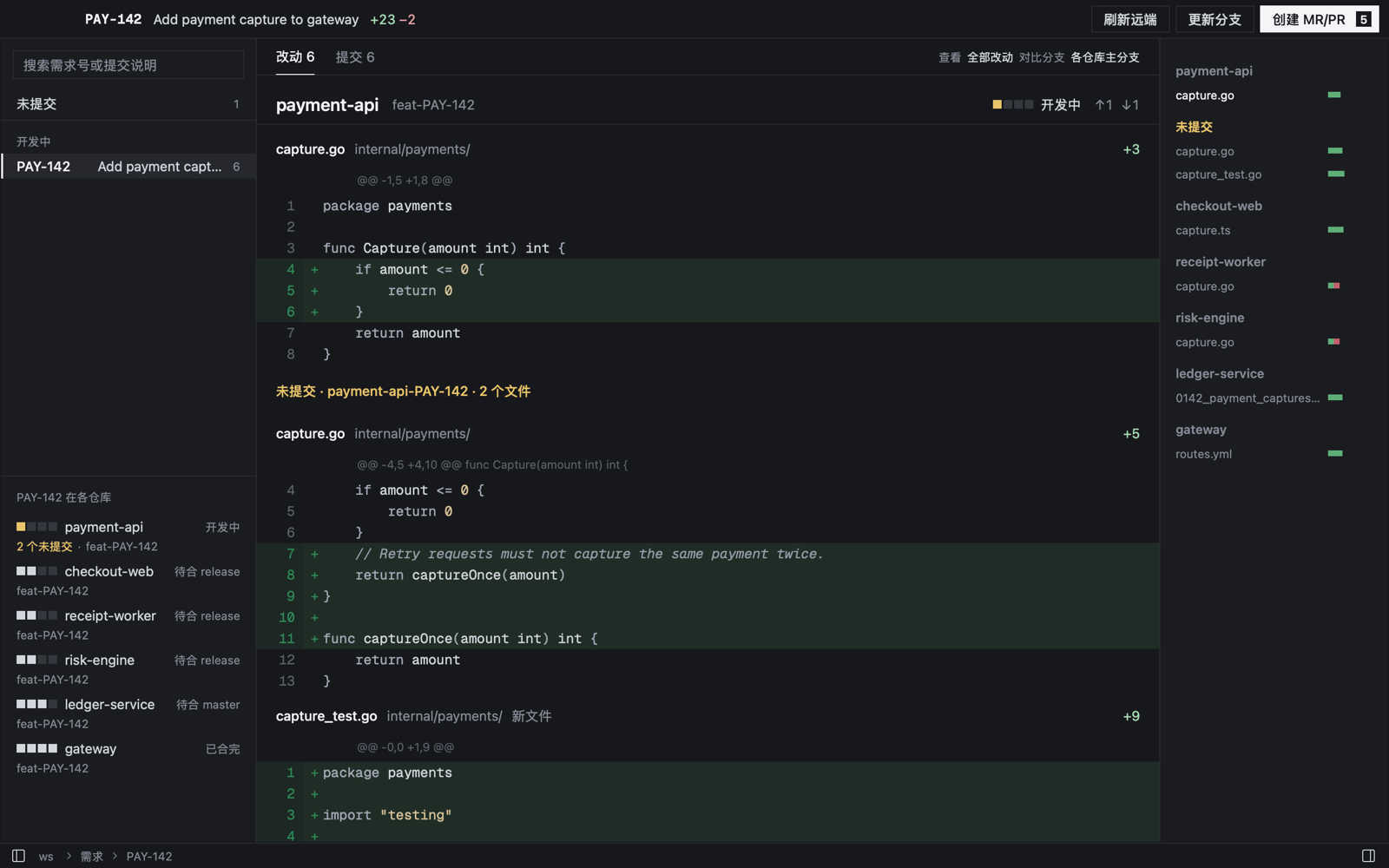
A live demo with made-up data: switch requirements, change the view, fold files, open a commit, and try the three batch buttons. 用虚构数据做的可交互演示:切换需求、换「查看」、折叠文件、打开提交,三个批量按钮也能点。
How it works怎么用
-
Open the folder打开文件夹
Point Sheaf at the folder that holds your repositories. It finds every repository and worktree inside.选中放仓库的文件夹,Sheaf 找出里面所有的仓库和工作目录。
-
Follow a requirement关注一个需求
Type a requirement number and Follow it. Sheaf finds every branch whose name contains it.输入需求号,点「关注」。Sheaf 找出分支名里带这个号的所有分支。
-
Read看
Every change, repository by repository, including what is not committed yet.全部改动按仓库依次排开,连还没提交的也在里面。
The only convention: put the requirement number in the branch name, like feat-PAY-142, and start commit subjects with it. Nothing to install in your repositories, no account.
唯一的约定:分支名里带需求号,比如 feat-PAY-142,提交标题也以它开头。不用在仓库里装任何东西,不用注册。
Built for reviewing agent-written code为把关 Agent 写的代码而做
Review at any stage什么时候都能审
Before commit, before merge, or after release: it is always the same question — what does this requirement bring to master.没提交、合 master 前、发布后,看的都是同一件事:这个需求给 master 带来什么改动。
Find it again after release发布后还能回溯
Go back to a requirement's changes by its number, even after the branches are gone.按需求号回到当时的改动,分支删了也一样。
Batch actions, planned first批量操作,先列计划
Refresh remotes, fast-forward favourite branches and create GitLab MRs or GitHub PRs across every repository, after showing you what will happen.刷新远端、快进收藏分支、创建 GitLab MR 或 GitHub PR,一次作用到所有仓库,执行前先列出要做的事。
Safe by design安全为先
Never commits, rebases, force-pushes or stashes, and leaves folders with uncommitted changes alone. Every write is in the activity log.从不提交、变基、强推或 stash,不碰有未提交改动的目录。每条写操作都记在活动日志里。
Using a coding agent? Send it the commit convention and it sets the workspace up itself. 用 Coding Agent 写代码?把提交约定发给它,它会自己配置到工作区。
Install安装
- Download the DMG from Releases and drag Sheaf.app into Applications.从 Releases 下载 DMG,把 Sheaf.app 拖进应用程序。
- The app is not notarized. If macOS blocks the first launch, open System Settings → Privacy & Security and click Open Anyway, or run:应用未经 Apple 公证。如果首次打开被拦截,到系统设置 → 隐私与安全性点仍要打开,或者运行:
xattr -dr com.apple.quarantine /Applications/Sheaf.app - To create MRs or PRs, install and sign in to glab or gh. Reading changes works without them.要创建 MR/PR,需安装并登录 glab 或 gh;只看改动不需要。